


Our Knowledge Base Has Moved
The New Page landing page for the Knowledge Base is https://product.korbyt.com/help
The new version of this specific article can be found at: https://product.korbyt.com/help/articles/9846503-how-can-i-create-a-recurring-booking
Please update any of your bookmarks to the new Knowledge Base
For assistance on using the new Knowledge Base, we have a Welcome to the New Korbyt Knowledge Base guide
The new Korbyt Product Page also has sections for submitting feedback on system improvements, a view of our Roadmap of upcoming enhancements, and a change log of all updates.

Korbyt Bookit – Creating a Recurring Booking
- Use the search panel to identify the criteria for your booking
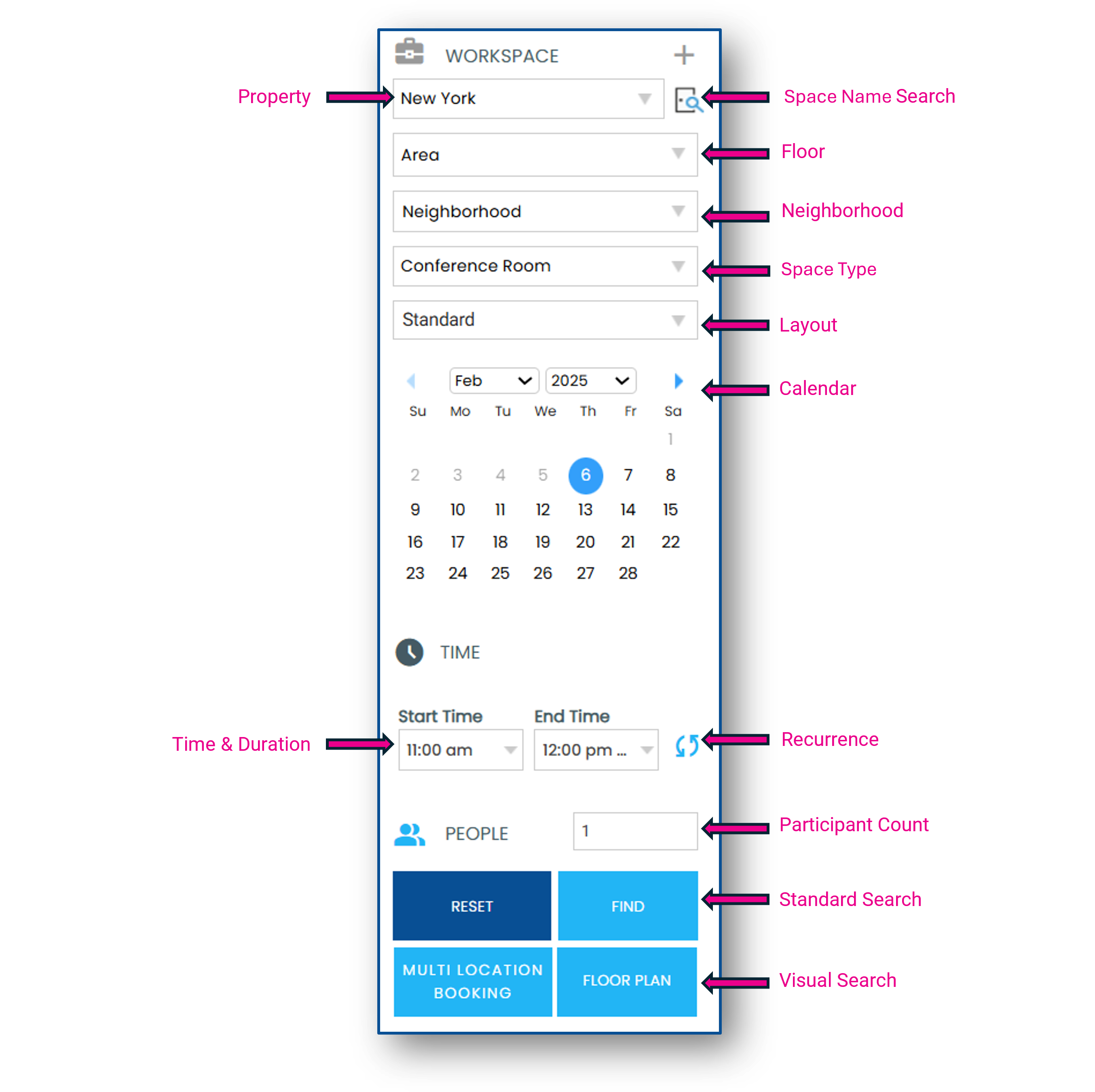
- Click the Recurrence icon to establish your recurrence pattern
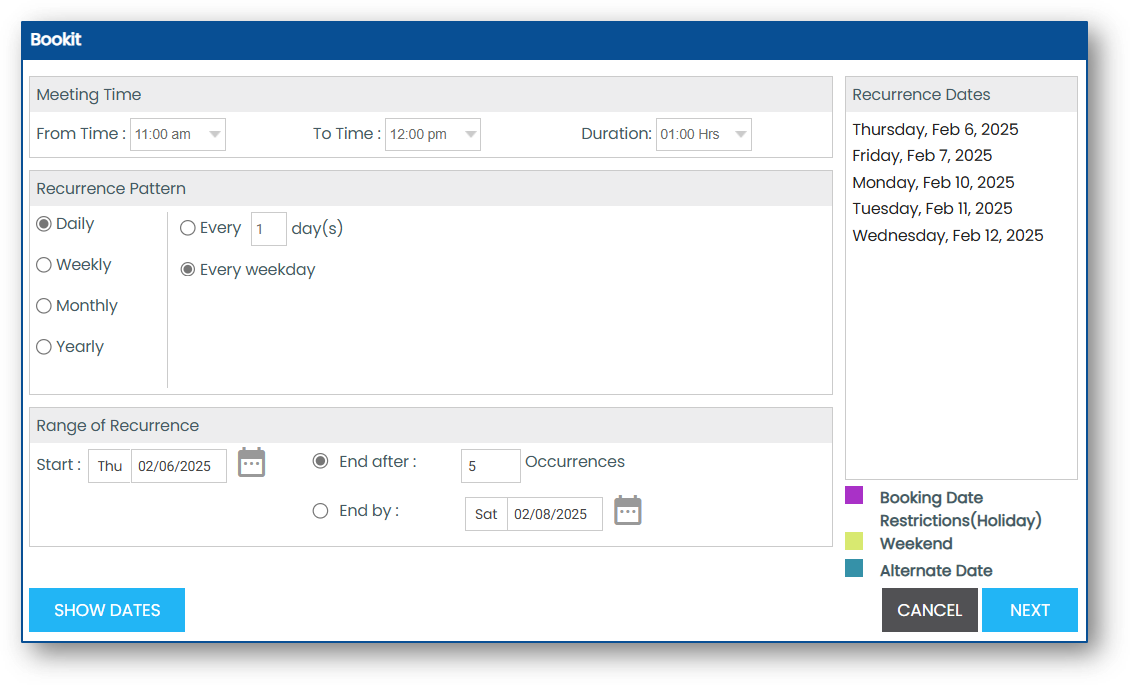
- Click Show Dates and Next to set the recurrence pattern
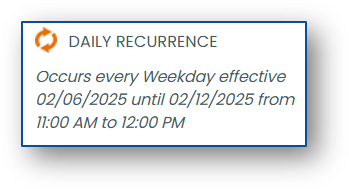
- The chosen pattern will now display in the search panel
- Continue to Create your Booking
