


Our Knowledge Base Has Moved
The New Page landing page for the Knowledge Base is https://product.korbyt.com/help
The new version of this specific article can be found at: https://product.korbyt.com/help/articles/1971165-kda-player-configuration-page#dfl2rm1p64m
Please update any of your bookmarks to the new Knowledge Base
For assistance on using the new Knowledge Base, we have a Welcome to the New Korbyt Knowledge Base guide
The new Korbyt Product Page also has sections for submitting feedback on system improvements, a view of our Roadmap of upcoming enhancements, and a change log of all updates.

How to Configure NTP on KDA Players
By: Skyler Thomas
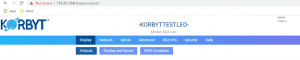
Once we are logged into the Player Configuration Page, we can navigate to the “Advanced” tab where we can select the “Services” sub-tab.
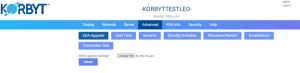
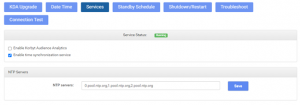
Once we are in the Services tab, we can check the “Enable Time Synchronization Service” to enable SNTP. Furthermore, we can specify which NTP server we want to synchronize with.
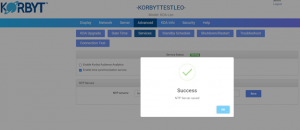
Once you enter the designated NTP server and click “Save” you will see this completion screen upon success.
Your device should start showing the correct time within approximately 5 minutes after making this change. If you would like to see this change take effect immediately, rebooting the device will be the last step.
