Our Knowledge Base Has Moved
The New Page landing page for the Knowledge Base is https://product.korbyt.com/help
The new version of this specific article can be found at: https://product.korbyt.com/help/articles/9347136-how-can-i-add-services
Please update any of your bookmarks to the new Knowledge Base
For assistance on using the new Knowledge Base, we have a Welcome to the New Korbyt Knowledge Base guide
The new Korbyt Product Page also has sections for submitting feedback on system improvements, a view of our Roadmap of upcoming enhancements, and a change log of all updates.

Korbyt Bookit – Adding Services
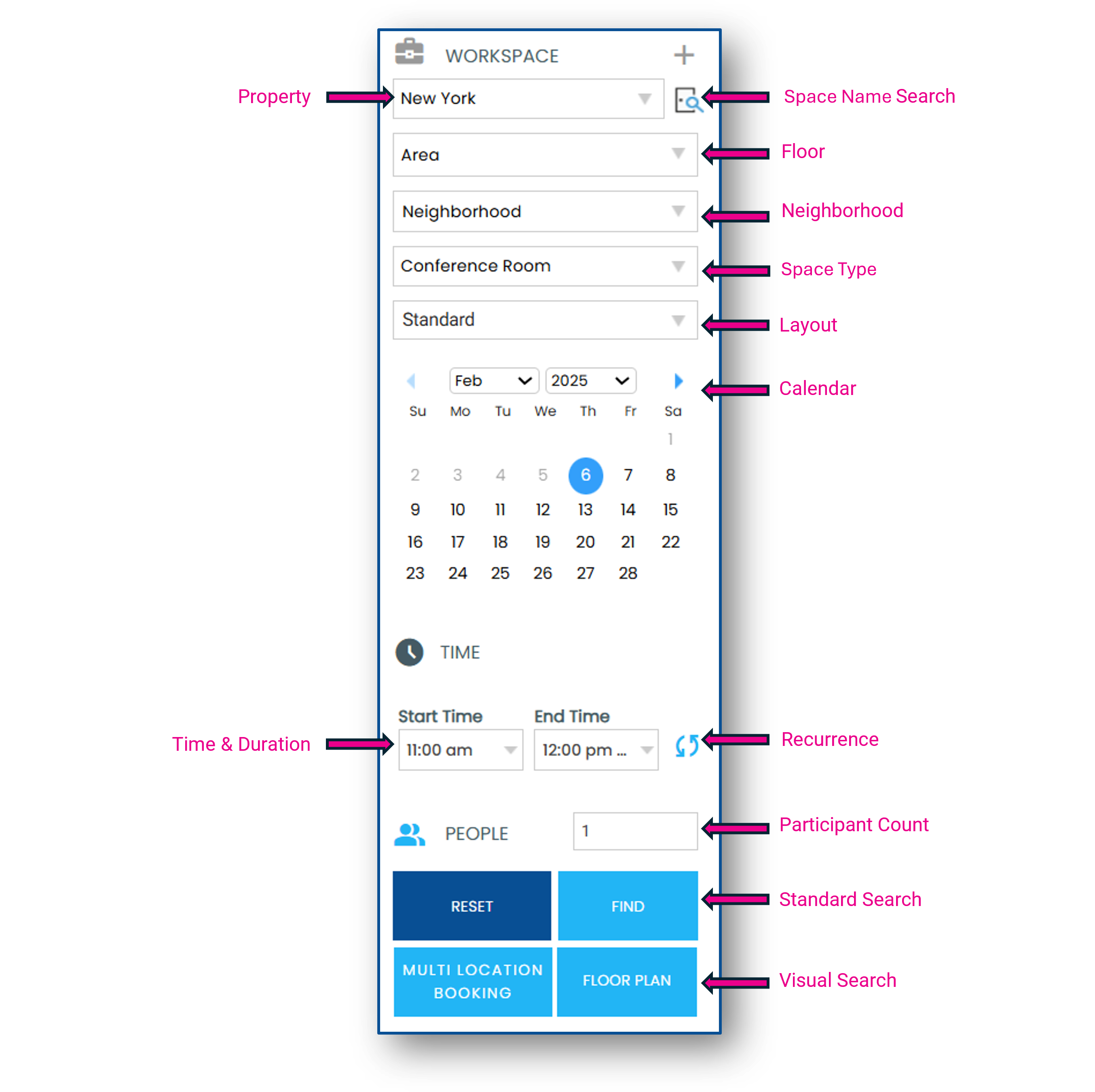
- Use the Search Panel to identify criteria for your booking
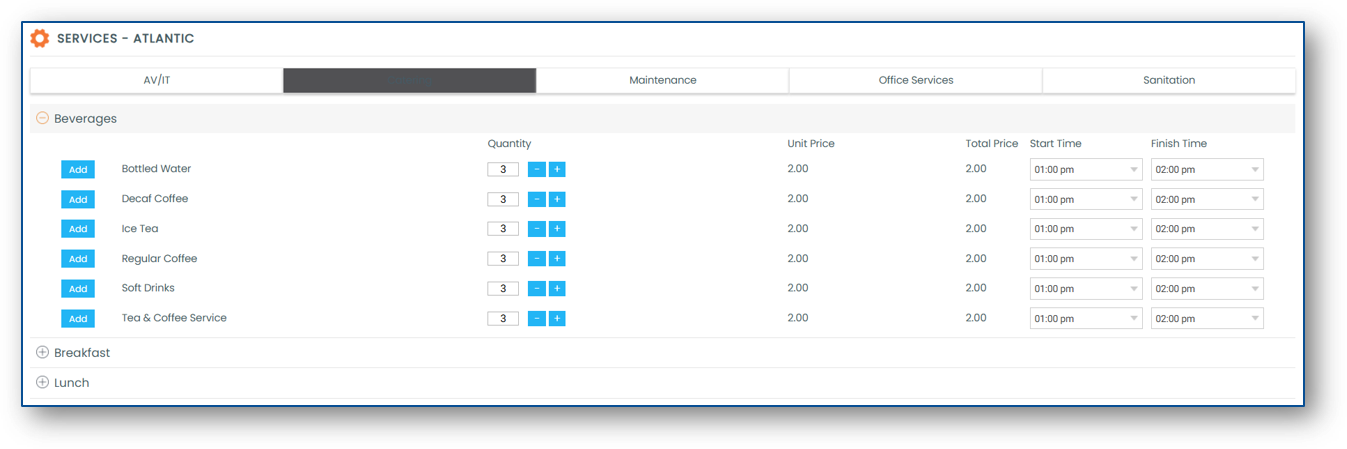
- Select a space and click Add Services

- Services are displayed alphanumerically by category, subcategory and item
- Select the quantity of the service item(s) you want added to your booking and click the Add button
- The Start Time and the Finish Time of the service can be modified
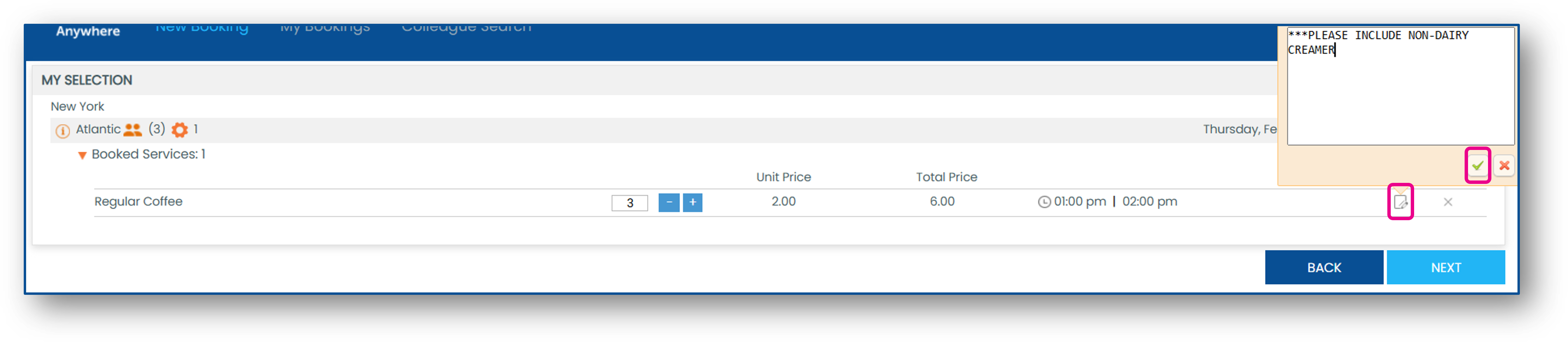
- You can add a note to your service item(s) by clicking the notebook icon once they are added to your booking
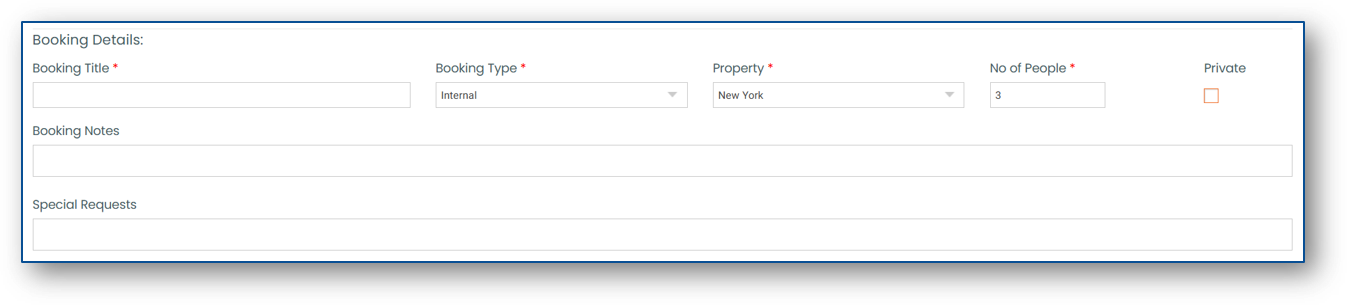
- Once you have added the desired services to your booking, click Next and complete your booking by completing the Booking Details