


Our Knowledge Base Has Moved
The New Page landing page for the Knowledge Base is https://product.korbyt.com/help
The new version of this specific article can be found at: https://product.korbyt.com/help/articles/5959951-nvidia-shield-pro-korbyt-configuration
Please update any of your bookmarks to the new Knowledge Base
For assistance on using the new Knowledge Base, we have a Welcome to the New Korbyt Knowledge Base guide
The new Korbyt Product Page also has sections for submitting feedback on system improvements, a view of our Roadmap of upcoming enhancements, and a change log of all updates.

Introduction
This article will assist you with setting up your Nvidia Shield Pro to be used as a Korbyt player for the first time.
Configuration
When configuring your shield for the first time you will be asked to use your gmail account to sign into the device and complete the initial device configuration. Once that has been completed and the device has gained access to the internet your player will display the default apps as shown below.
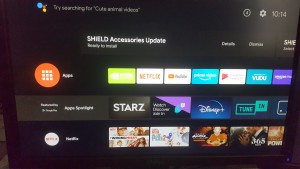
Using the shield remote you will now be able to select the apps option on your device. Select the “Get more apps” option.
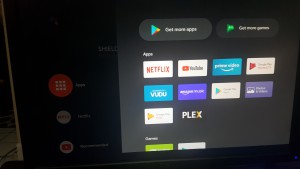
This will navigate you to the android store so that you can now search for the korbyt app.
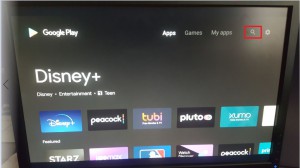
Once the search option has been selected using your remote or keyboard you will need to type out (Korbyt) in the search box. Before the search will be able to find the Korbyt app you must type Korbyt all the way out. Once the application is found select install option.
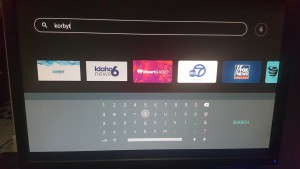
Once you open the application your Shield will now display the korbyt provisioning page.
