


Our Knowledge Base Has Moved
The New Page landing page for the Knowledge Base is https://product.korbyt.com/help
The new version of this specific article can be found at: https://product.korbyt.com/help/articles/3697464-managing-end-users-for-desktopinview-mobileandweb#0pza4a571mz
Please update any of your bookmarks to the new Knowledge Base
For assistance on using the new Knowledge Base, we have a Welcome to the New Korbyt Knowledge Base guide
The new Korbyt Product Page also has sections for submitting feedback on system improvements, a view of our Roadmap of upcoming enhancements, and a change log of all updates.

How to Create an Audience
To create an audience for Mobile/Web go to the dash board by follow the steps below:
- From Dashboard –> Mobile/Web –>Users & Audiences.
- Select Audiences
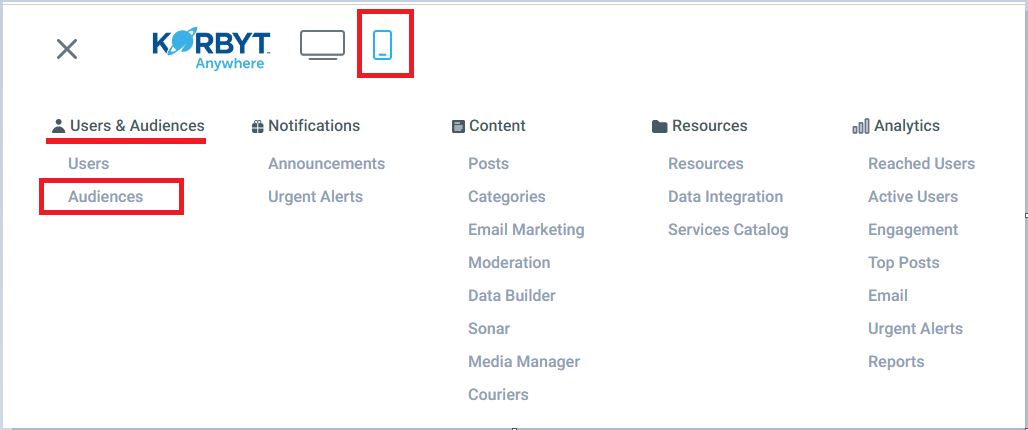
- Click on the “Create Audience” button.

- Add all the information necessary to be able to save: Audience Name, Description and Associated user:
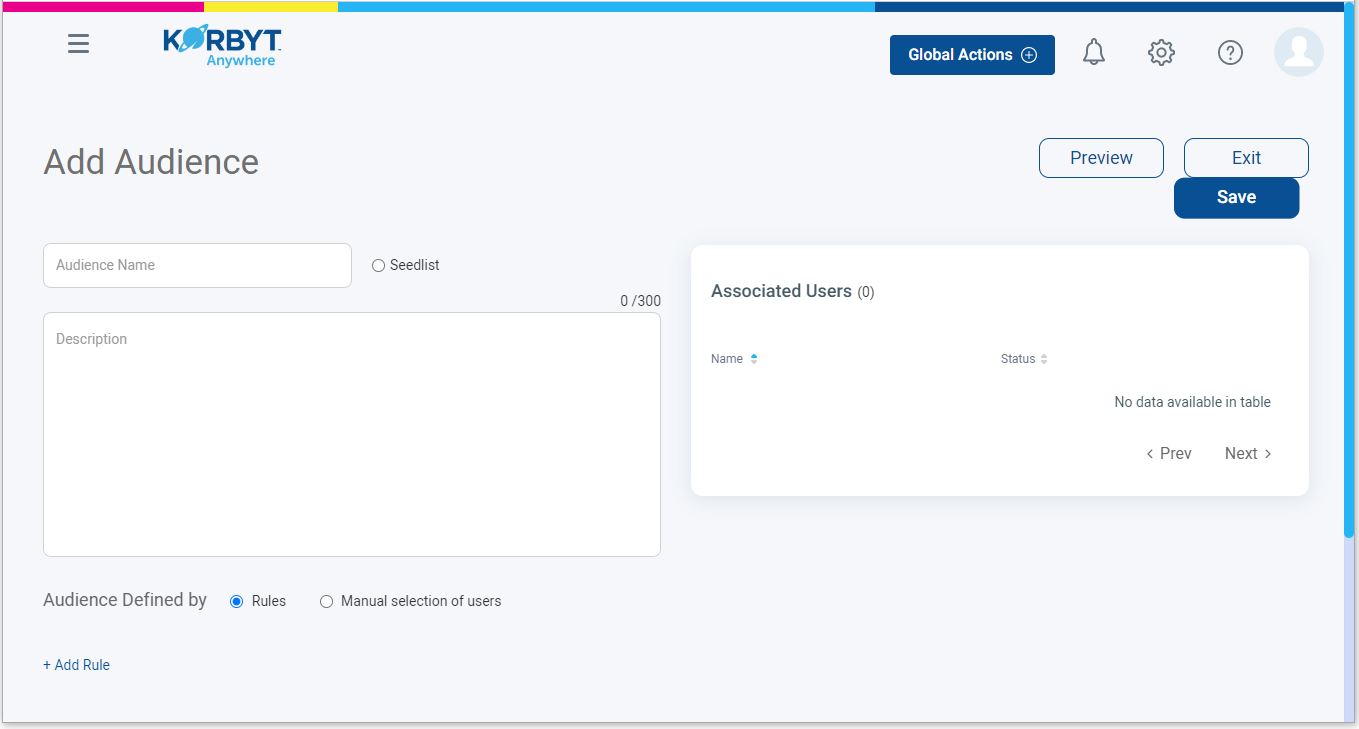
- Under Audience Defined by, to Add members there are two options: Rules or Manual Selection of users.

- When done making the user selections click on the Save button and the audience will be created.
