Our Knowledge Base Has Moved
The New Page landing page for the Knowledge Base is https://product.korbyt.com/help
The new version of this specific article can be found at: https://product.korbyt.com/help/articles/5929516-how-to-activate-relevant-refresh
Please update any of your bookmarks to the new Knowledge Base
For assistance on using the new Knowledge Base, we have a Welcome to the New Korbyt Knowledge Base guide
The new Korbyt Product Page also has sections for submitting feedback on system improvements, a view of our Roadmap of upcoming enhancements, and a change log of all updates.

Relevant Refresh is a subscription feature in Korbyt that will analyze the current content on selected playlists and create a new playlist with other suggested content based on the characteristics of those playlists
If you subscribe to Relevant Refresh you will be able to locate it in the Mega Menu in the Advanced Content sections
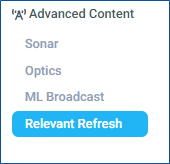
Once selected from the mega menu you will be able to create your Relevant Refresh
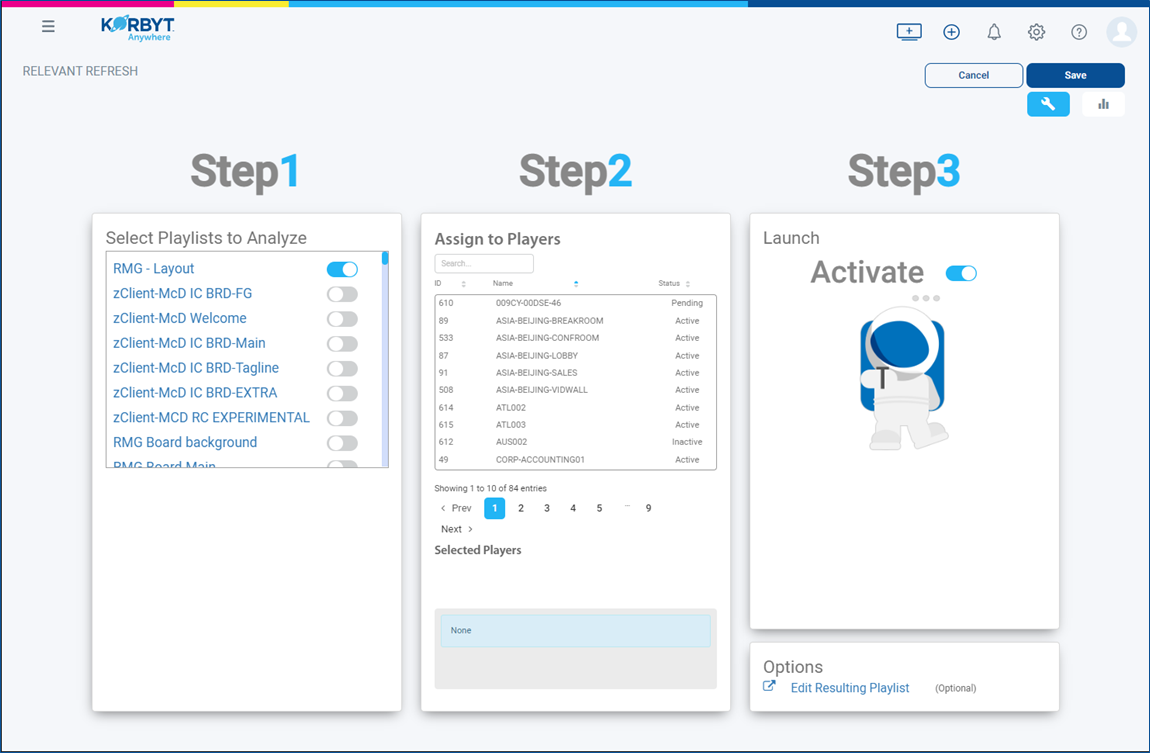
Step 1
- Select Playlist to analyze.
- Use the toggles to select which playlists are part of the Relevant Refresh
Step 2
- Select the Players for newly created playlist.
- Relevant Refresh will create a new playlist and can automatically assign it to selected players
Step 3
- Click the “Activate” switch.
**NOTE: It will take 24 hours to analyze and select content to be injected into the new playlist.
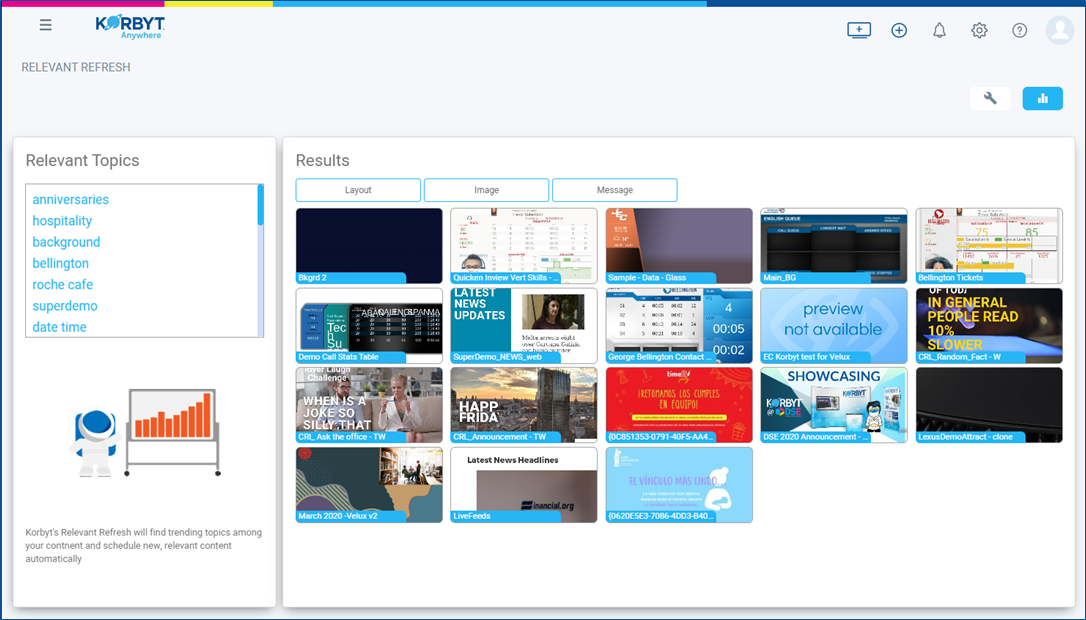
Once Generated, you can see the results in either the Analysis tab (graph bars in upper right) or by clicking Edit Resulting Playlist