


Our Knowledge Base Has Moved
The New Page landing page for the Knowledge Base is https://product.korbyt.com/help
The new version of this specific article can be found at: https://product.korbyt.com/help/articles/5162424-categories-for-mobile-and-web-posts
Please update any of your bookmarks to the new Knowledge Base
For assistance on using the new Knowledge Base, we have a Welcome to the New Korbyt Knowledge Base guide
The new Korbyt Product Page also has sections for submitting feedback on system improvements, a view of our Roadmap of upcoming enhancements, and a change log of all updates.

Instead of creating new categories from scratch, you can clone existing categories to save time.
To clone categories:
- Access the Categories page by selecting the hamburger icon and navigating to Content > Categories.

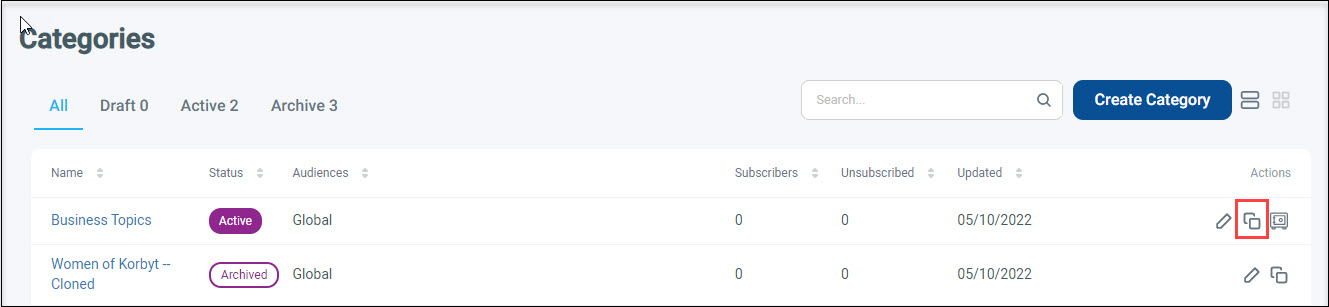
- From the All or Active tab, click the Clone icon in the Actions column for the category that you want to clone.
A confirmation pop-up appears.
- Click Yes.
The cloned category will display on the Categories screen with an Active status and “Cloned” at the end of the category name. After the category has been cloned, you can update the category settings as needed by clicking the Pencil icon in the Actions column for the cloned category. For more information about creating and editing categories, refer to Creating Categories.
