Our Knowledge Base Has Moved
The New Page landing page for the Knowledge Base is https://product.korbyt.com/help
The new version of this specific article can be found at: https://product.korbyt.com/help/articles/7756114-brightsign-general-information-via-related-links#kz4m50fa3d7
Please update any of your bookmarks to the n ew Knowledge Base
For assistance on using the new Knowledge Base, we have a Welcome to the New Korbyt Knowledge Base guide
The new Korbyt Product Page also has sections for submitting feedback on system improvements, a view of our Roadmap of upcoming enhancements, and a change log of all updates.

When a player is provisioned on a BSN.Cloud account but not longer needed, it would have to be deleted from that account. By deleting the player it allows the player to be registered under different account.
Steps below will walk the user on how to delete the player from the BSN.CLOUD.
- Login to the BSN.Cloud using your credentials
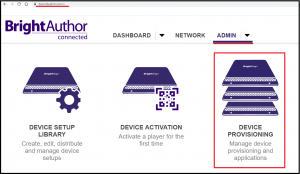
- Navigate to ADMIN tab

- Click on Device Provisioning option
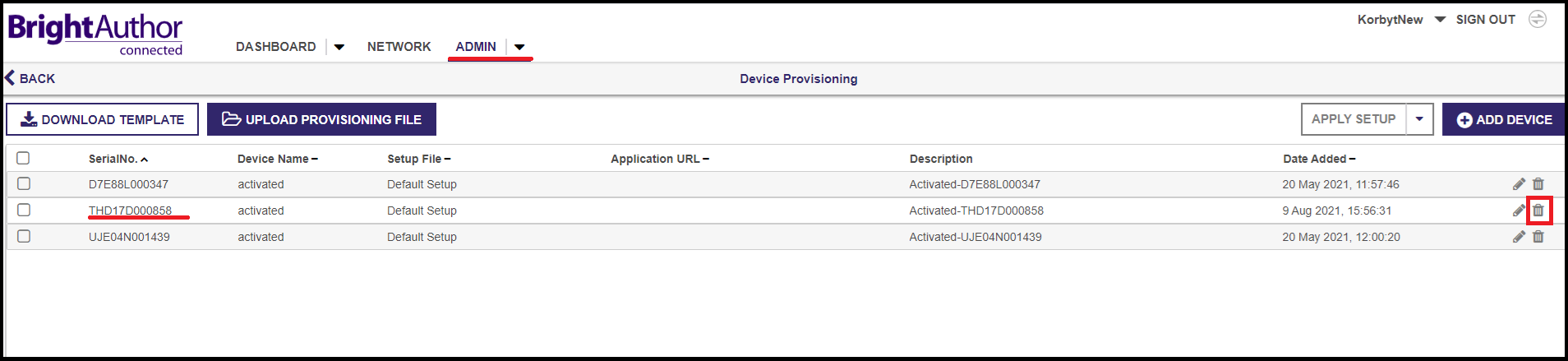
- Select the desired player and click on the delete button.
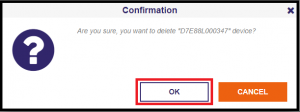
- A confirmation message will appear. Click OK to proceed. OR click on the CANCEL to abort the action.