


Our Knowledge Base Has Moved
The New Page landing page for the Knowledge Base is https://product.korbyt.com/help
The new version of this specific article can be found at: https://product.korbyt.com/help/articles/5162424-categories-for-mobile-and-web-posts
Please update any of your bookmarks to the new Knowledge Base
For assistance on using the new Knowledge Base, we have a Welcome to the New Korbyt Knowledge Base guide
The new Korbyt Product Page also has sections for submitting feedback on system improvements, a view of our Roadmap of upcoming enhancements, and a change log of all updates.

From the Add Category screen, you can make categories available to a variety of audiences. When made available, the category will appear on the Home page within the Korbyt Anywhere mobile app and web interface. Your users can personalize their news feed by subscribing to categories that are available to them.
You can use category targeting to:
- drive engagement by highlighting relevant content.
- maintain privacy by only sharing content to those who should have access.
- help users easily find relevant content.
To target categories to specific audiences:
- From the Add Category and Edit Category screens, click Select Audience.
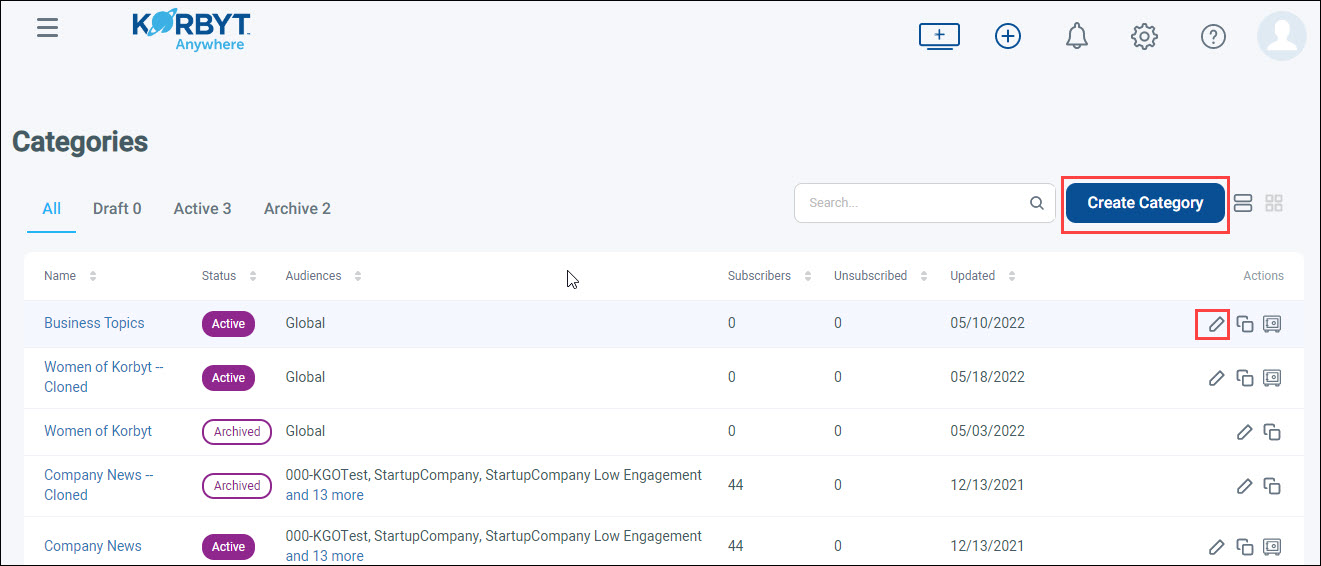
- From the Audiences pop-up, select the audiences from the left column that you want to target. To select multiple audiences simultaneously, hold down the Command key (Mac) or Ctrl key (Windows).
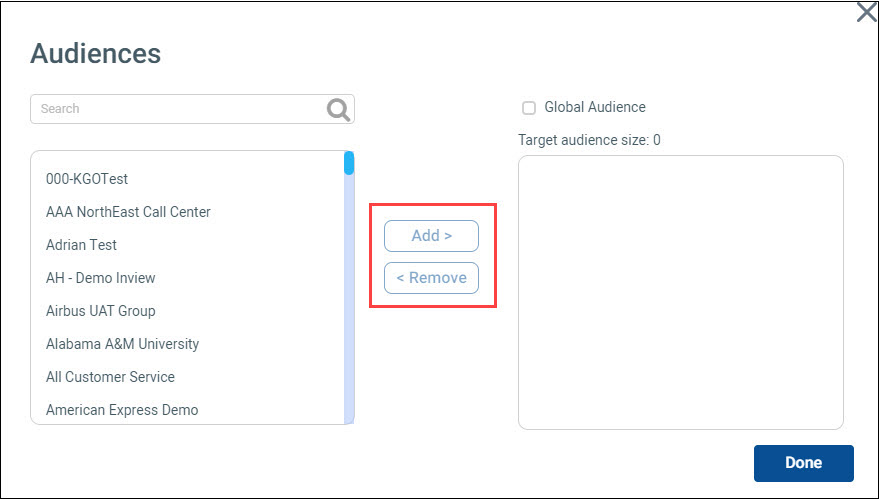
- Click the Add button to move the selected audiences from the left column to the right column. The total number of targeted users will appear at the top of the right column after all audiences have been added. To remove audiences from the right column, select them and click Remove.
 Select the Global Audience checkbox to make the category available to all your users.
 - Click Done.
