


Our Knowledge Base Has Moved
The New Page landing page for the Knowledge Base is https://product.korbyt.com/help
The new version of this specific article can be found at: https://product.korbyt.com/help/articles/7756114-brightsign-general-information-via-related-links#7ce3bfzf554
Please update any of your bookmarks to the new Knowledge Base
For assistance on using the new Knowledge Base, we have a Welcome to the New Korbyt Knowledge Base guide
The new Korbyt Product Page also has sections for submitting feedback on system improvements, a view of our Roadmap of upcoming enhancements, and a change log of all updates.

For WiFi, the Brightsign player must have a wifi module and antenna installed.
If a WiFi module is not installed the WiFi network option will be greyed out during the network setup.
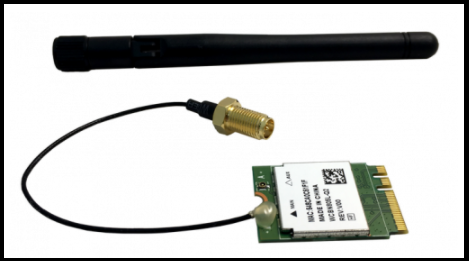
Contact Brightsign to purchase a wifi module – support@brightsign.zendesk.com or phone 1-408-852-9263.
Brightsign wireless module installation tutorial — https://www.youtube.com/watch?v=_cK3RskJxBQ
