


Our Knowledge Base Has Moved
The New Page landing page for the Knowledge Base is https://product.korbyt.com/help
The new version of this specific article can be found at: https://product.korbyt.com/help/articles/9420018-using-the-media-manager#2sadxw0r5y4
Please update any of your bookmarks to the new Knowledge Base
For assistance on using the new Knowledge Base, we have a Welcome to the New Korbyt Knowledge Base guide
The new Korbyt Product Page also has sections for submitting feedback on system improvements, a view of our Roadmap of upcoming enhancements, and a change log of all updates.

The “Usage” option allows the user to find out if any Media Manager item is being used by within their Korbyt CMS.
For example, a piece of content could be scheduled to play in a Playlist, or used in the design of a Layout or Message through the Builder Tool.
To see if a media manager asset is being used :
- Click on the Mega Menu
 and select Media Manager
 - The columns of information about a piece of content include a Usage column
- Any numbers in this column represent the number of places this content is used in
- No number mean it is not used anywhere in the system at this time
- If you click on the number it will show a list of the places this content is used
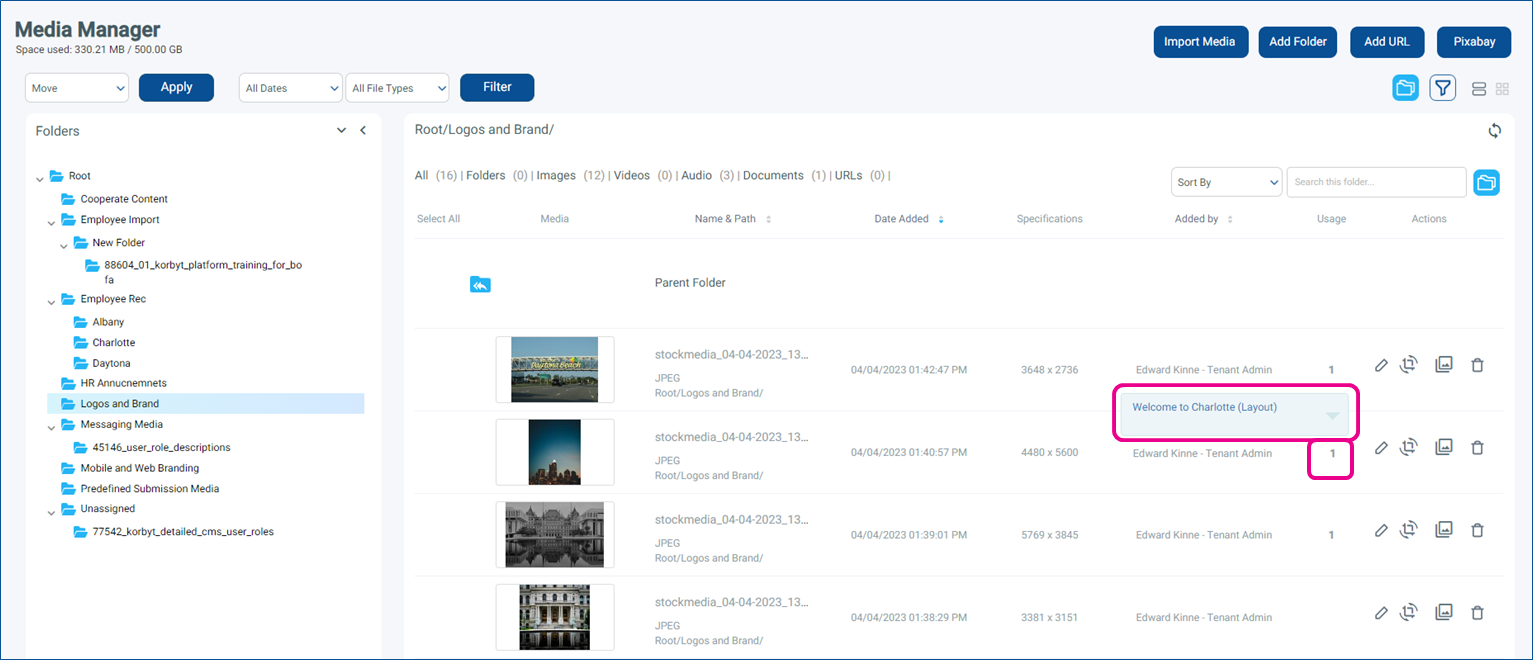
- If you click on a name it will take you to that item
